Quick start
Demo tournament
Section titled “Demo tournament”Ideal for trying things out. Prerequisite: you are signed in as an organiser. Without login, the home page only shows sign-in/register; demo and wizard appear afterwards.
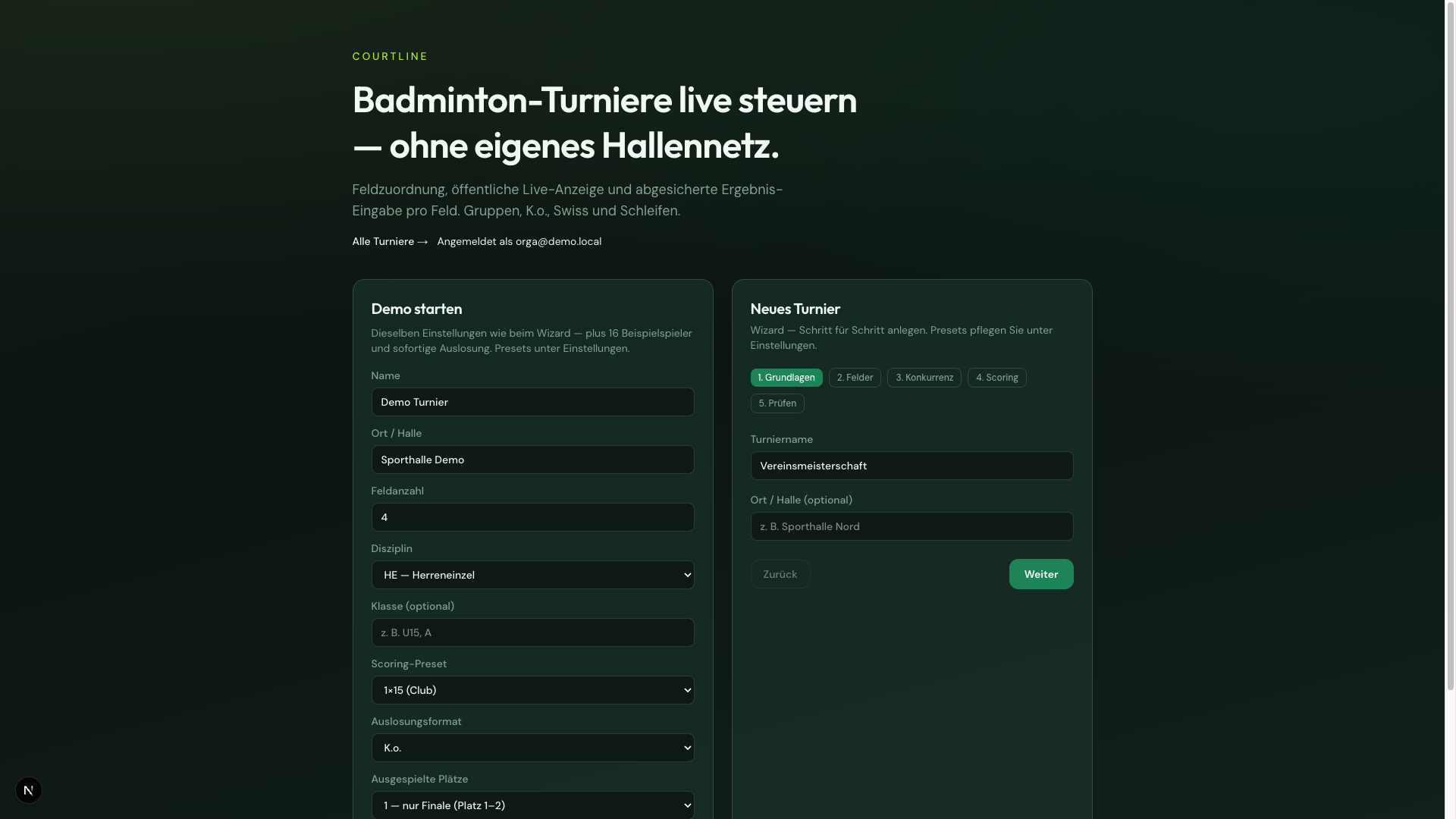
- On the home page under Start demo, set: name, venue/hall, court count, discipline, scoring preset, format.
- Create demo tournament — sample players, draw, live link, and score links per court are created.
- Open the live display (spectators) and a score link (court scorer).
Each new create produces a new tournament; existing ones are kept.
Your own tournament — wizard
Section titled “Your own tournament — wizard”- Basics: Name and optional venue/hall
- Courts: Count 1–16
- Event: Discipline MS/WS/MD/WD/XD, optional class, format
- Scoring: Points-per-game preset including side change
- Review and Create tournament — status Draft
- Prepare in admin, then Start tournament with overview
Format is a default for the draw wizard (still changeable there). Played-out places are chosen only at draw time — see Draw and Knockout & placings.
A tournament can have multiple events. All share the same court pool; the multi-start lock is player-wide.
Flow from draft to play
Section titled “Flow from draft to play”My tournaments
Section titled “My tournaments”Under All tournaments you see your own and shared tournaments. See My tournaments & shares.